Pulitzer Fiction Reading Tracker
Overview
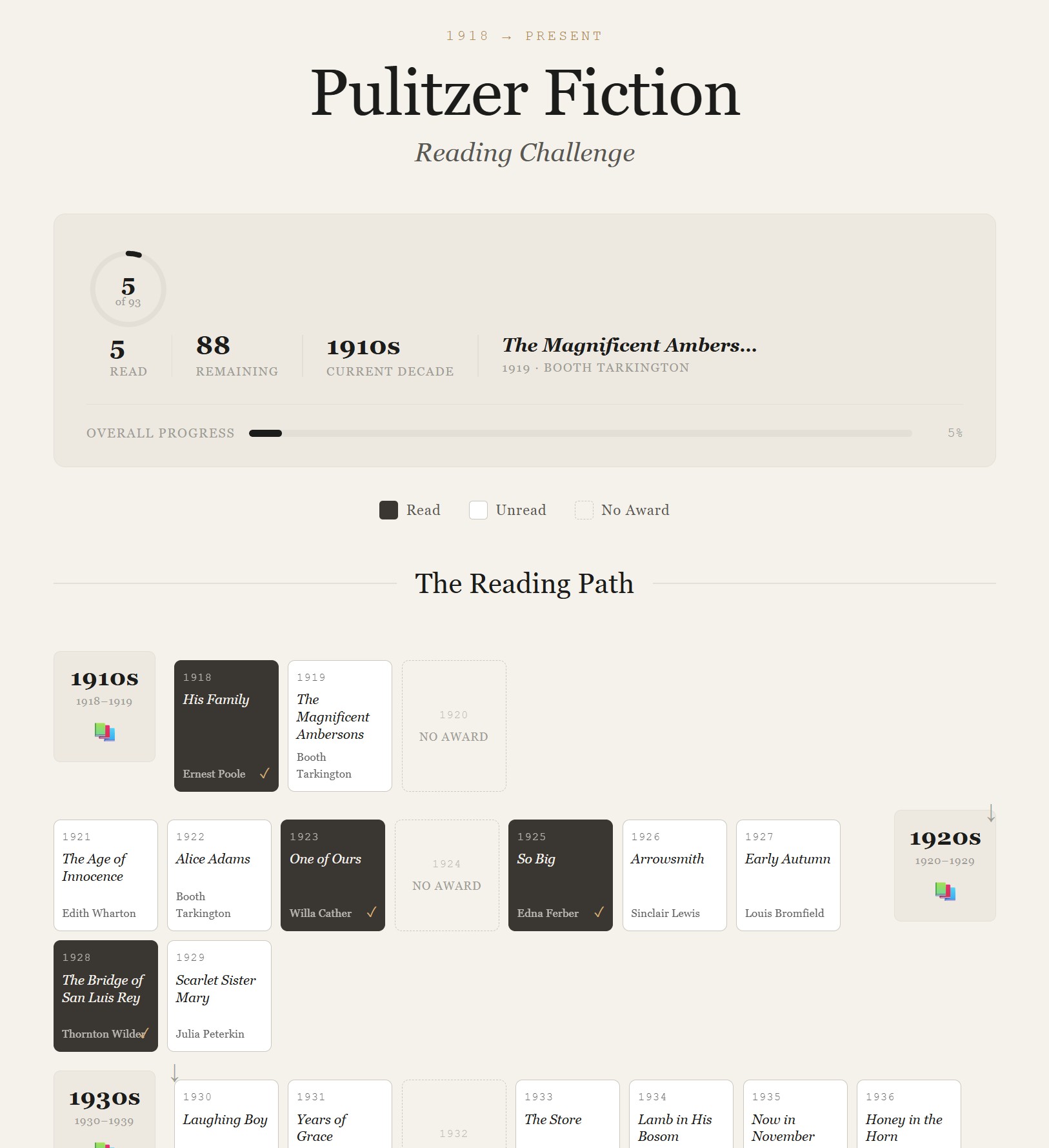
I built a personal reading tracker for the full Pulitzer Prize Fiction list, from 1918 to the present.
The tracker lets me mark books as read, view progress at a glance, and follow the winners decade by decade as a historical reading path rather than a flat spreadsheet or generic book list.
-
Try it: Pulitzer Fiction Reading Tracker
-
Source: GitHub repository
The problem
I wanted a reading challenge tracker that did not quite exist.
Most book trackers are either spreadsheet-heavy or designed for general reading logs. I wanted something more specific: a clean, visual tracker for a long-form literary challenge, organised by decade and built around the historical arc of the Pulitzer Prize for Fiction.
The goal was not to create a complex reading app. It was to create a simple, motivating progress view for one specific challenge.
The workflow
This project became a multi-stage workflow across two AI tools, with human direction and validation throughout.

1. Idea and concept
I started with the core idea: a Pulitzer Fiction tracker from 1918 to the present.
At a minimum, the tracker needed to show:
-
what I had read
-
what remained
-
how the list moved decade by decade
-
progress without turning the experience into a spreadsheet
2. Scoping with ChatGPT
I used ChatGPT to brainstorm the concept, explore design directions, define the data structure, and compare possible build approaches.
Options explored included:
-
Google Sheet + GitHub Pages
-
Google Sheet + Looker Studio
-
Notion gallery/database
-
Airtable gallery/interface
-
Canva or Illustrator static prototype
ChatGPT helped validate that the project was feasible and scoped it at roughly 20–35 hours for a first portfolio-ready version.
At this point, I added the idea to my portfolio tracker and parked it until I was ready to build.
3. Building with Claude
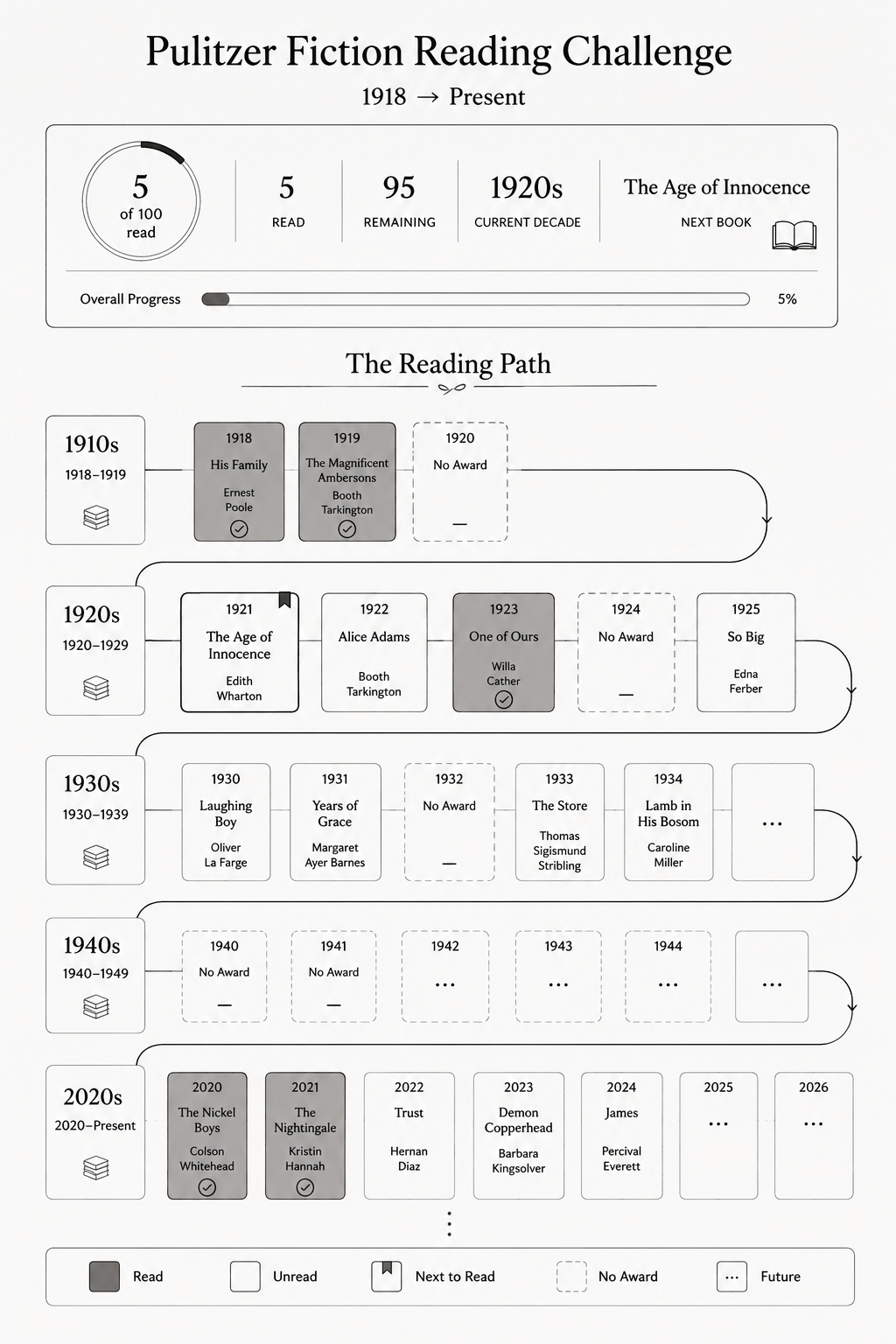
Once I had a clear concept and design direction, I used Claude to help build the working app.
The prototype came together in a single focused session as a React app with:
-
a JSON data layer
-
localStorage for read/unread state
-
clickable book tiles
-
automatic progress updates
-
decade-based navigation
-
a downloadable/deployable project structure
I did not write the React from scratch myself. My role was to direct the build, test the app locally, review the structure, and check whether the output matched the intended user experience.
4. Testing, validation, and publishing
After running the tracker locally, I completed an editorial pass of the Pulitzer data.
This step mattered. During testing, I found data issues, including missing winners for some years and an incorrect handling of the two 2023 winners. I corrected the JSON listing before publishing.
I then published the project using GitHub and Netlify. During deployment, Claude helped troubleshoot a Netlify issue, which required adding a netlify.toml file so Netlify would install the required dev dependencies.
Key decisions
Separate the data from the app
The Pulitzer book list lives in a standalone books.json file rather than being hardcoded into the React components.
This makes the tracker easier to maintain. Correcting a book, adding a new winner, or adjusting metadata means editing the data file without touching the app logic.
Keep the MVP small
The first version does one thing clearly: it lets me mark Pulitzer winners as read and see my progress update.
I deliberately left out notes, ratings, date tracking, favourites, and next-to-read flags. Those may be useful later, but adding them too early would have made the first version heavier than it needed to be.
What I learned
This project showed me that the value of AI depends partly on using the right tool at the right stage.
ChatGPT was useful for open-ended exploration: shaping the idea, comparing options, defining scope, and turning a vague concept into a buildable plan.
Claude was useful once the specification was clearer: generating the React app, iterating on implementation details, and troubleshooting deployment.
The strongest result came from using the tools sequentially rather than interchangeably:
-
human idea and taste
-
ChatGPT for concept and scope
-
Claude for build execution
-
human testing, validation, and publishing decisions
The result was a working interactive prototype produced in a fraction of the original estimated effort, without giving up editorial control.
Portfolio value
This project demonstrates how I can turn a personal information problem into a structured, usable digital experience.
It combines:
-
information architecture
-
visual design direction
-
data modelling
-
AI-assisted prototyping
-
editorial validation
-
lightweight web publishing
It is a small project, but a useful one: a practical example of using AI to move from idea to scoped concept to working product.